Documentation
Getting started
What SmartAlert is and how to get your first alert in 5 minutes.
On this page
What SmartAlert is
SmartAlert watches smart contracts on Ethereum, BNB Chain, Base and Arbitrum and tells you when something is off. You paste a contract address. SmartAlert collects its history, builds metrics from its events, and checks your rules against them. When a rule fires, you get a message in Telegram.
It does not touch your contract. It reads public chain data only.
Two things set it apart:
- Norm for each hour. Activity is lower at night and higher in the day. A rule can compare the value with the norm for that hour instead of one fixed number.
- Check on history. Before you turn a rule on, you see how many times it would have fired over the last days. You pick a threshold that catches real problems without noise.
No rule runs until you turn it on.
Quick start: 5 minutes
You need a contract address and a Telegram account.
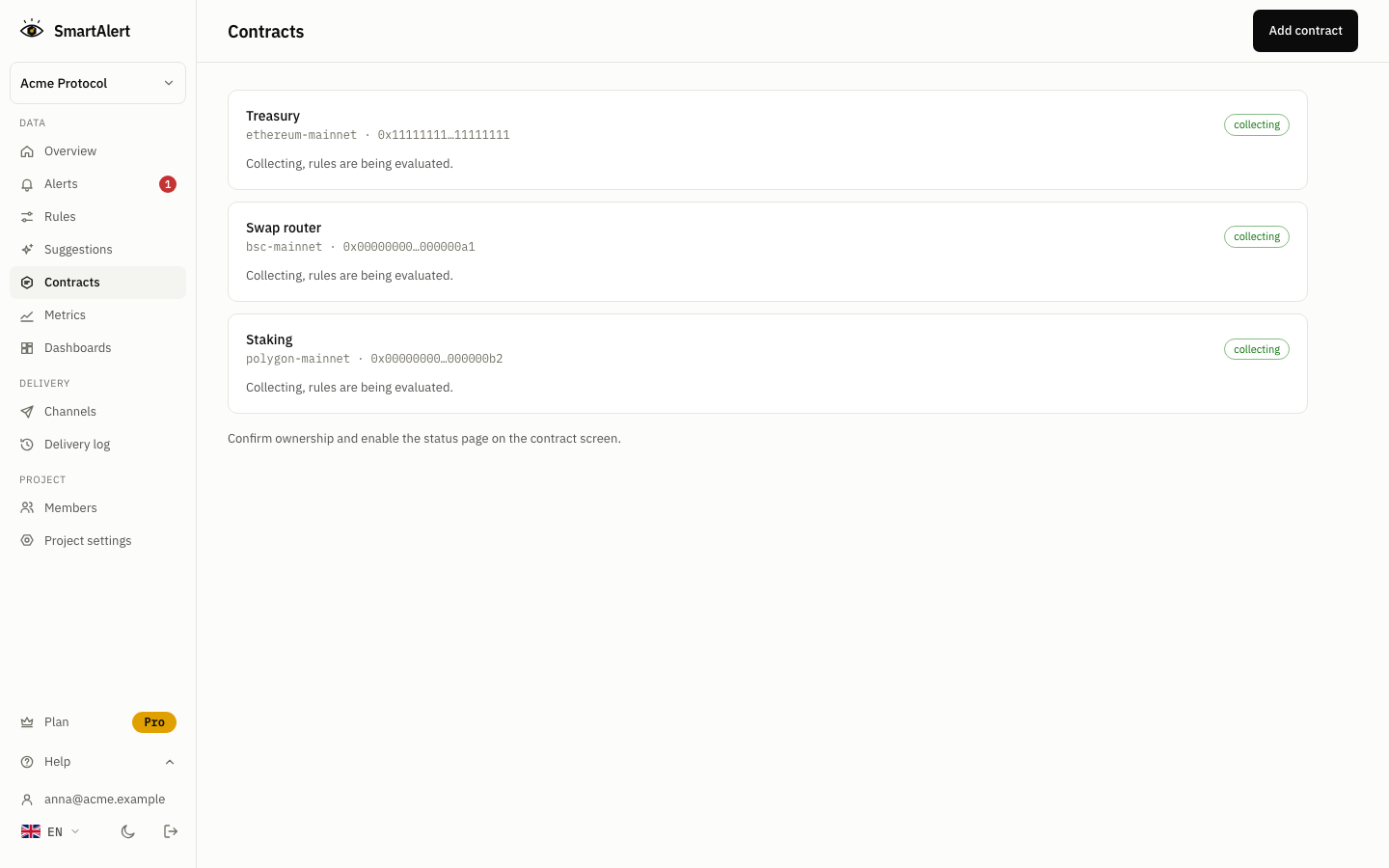
1. Add a contract (1 minute)
- Create a project. The first project works with Pro limits for 14 days.
- Choose Add contract, pick the network (Ethereum, BNB Chain, Base or Arbitrum) and paste the address.
- For a verified contract, the ABI is loaded for you. For an unverified one, paste the ABI.
If the contract is new to SmartAlert, history is collected first. The contract shows a "backfilling" status, and rules do not run until it finishes. If the contract is already tracked, its history is available at once.
2. Create a rule (2 minutes)
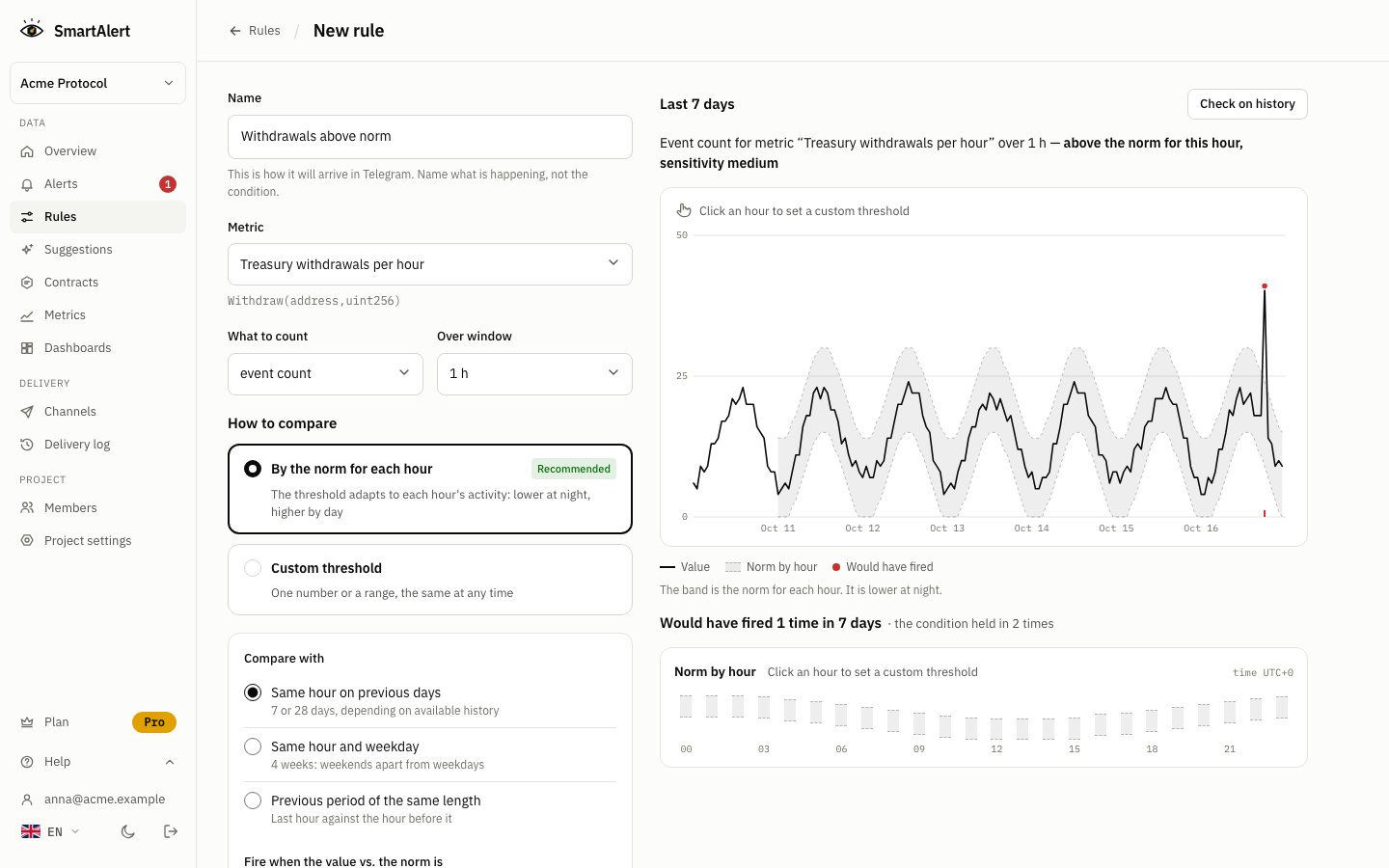
- Open Rules and choose New rule. Or open the suggested rules for your contract and choose Enable selected.
- Pick a metric, for example the number of
Transferevents per hour. - Pick how to compare:
- Against the norm for each hour (default). The threshold follows the time of day.
- Own threshold. One number or a range for all hours.
- Look at the chart. It shows the metric, the norm or your threshold, and marks where the rule would have fired. If the marks are too many, change the threshold or sensitivity.
- Save the rule.
Details: Rules.
3. Connect a channel (2 minutes)
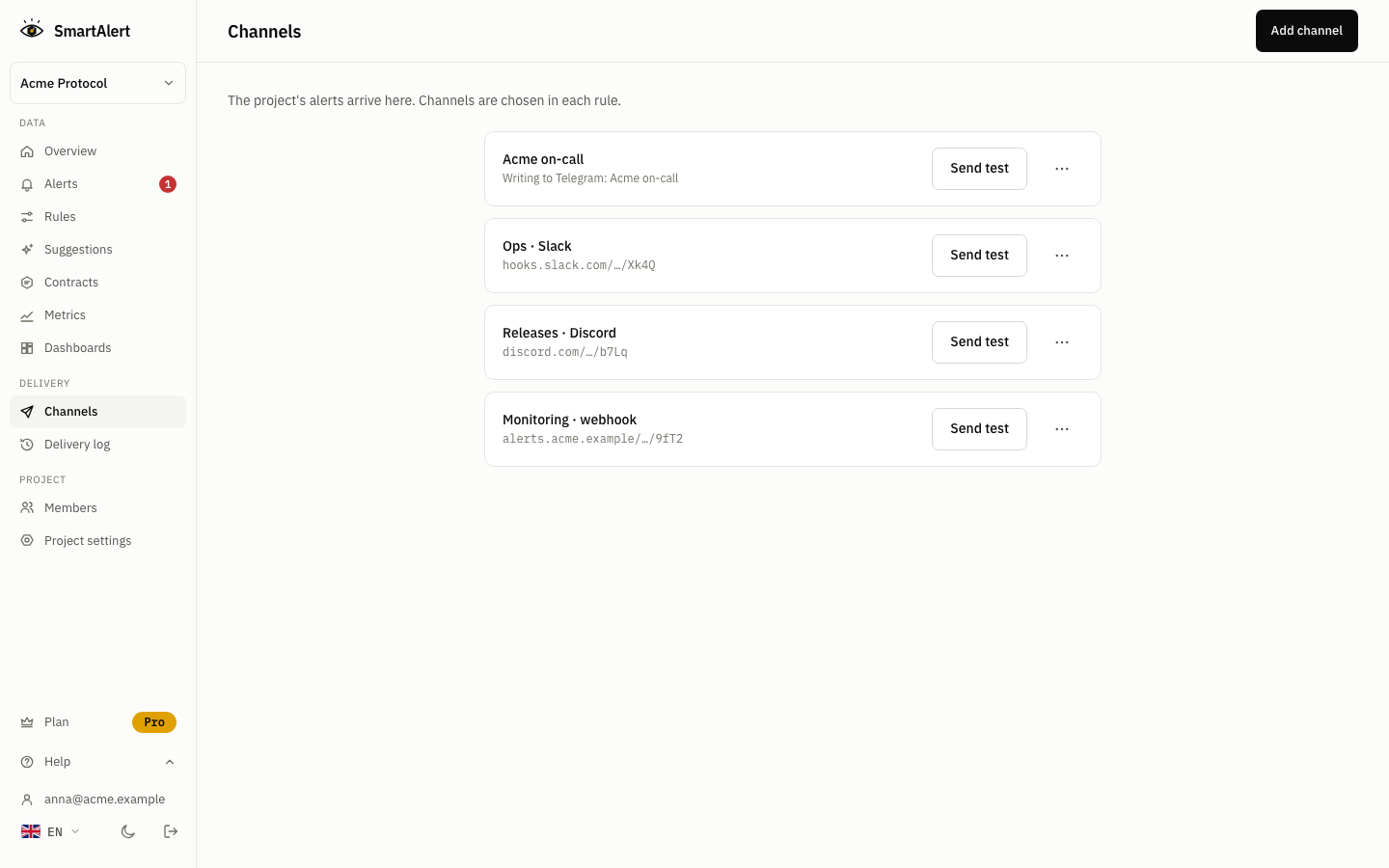
- Open Channels (the "Where to send" screen), enter a channel name and press Add.
- Open the link SmartAlert gives you and press Start in the bot. You can also add the bot to a group chat and run the command there.
- The bot replies in the chat with the project name. The channel is now active.
The link works for 15 minutes. If it expires, generate a new one.
Details: Notifications.
Check it works
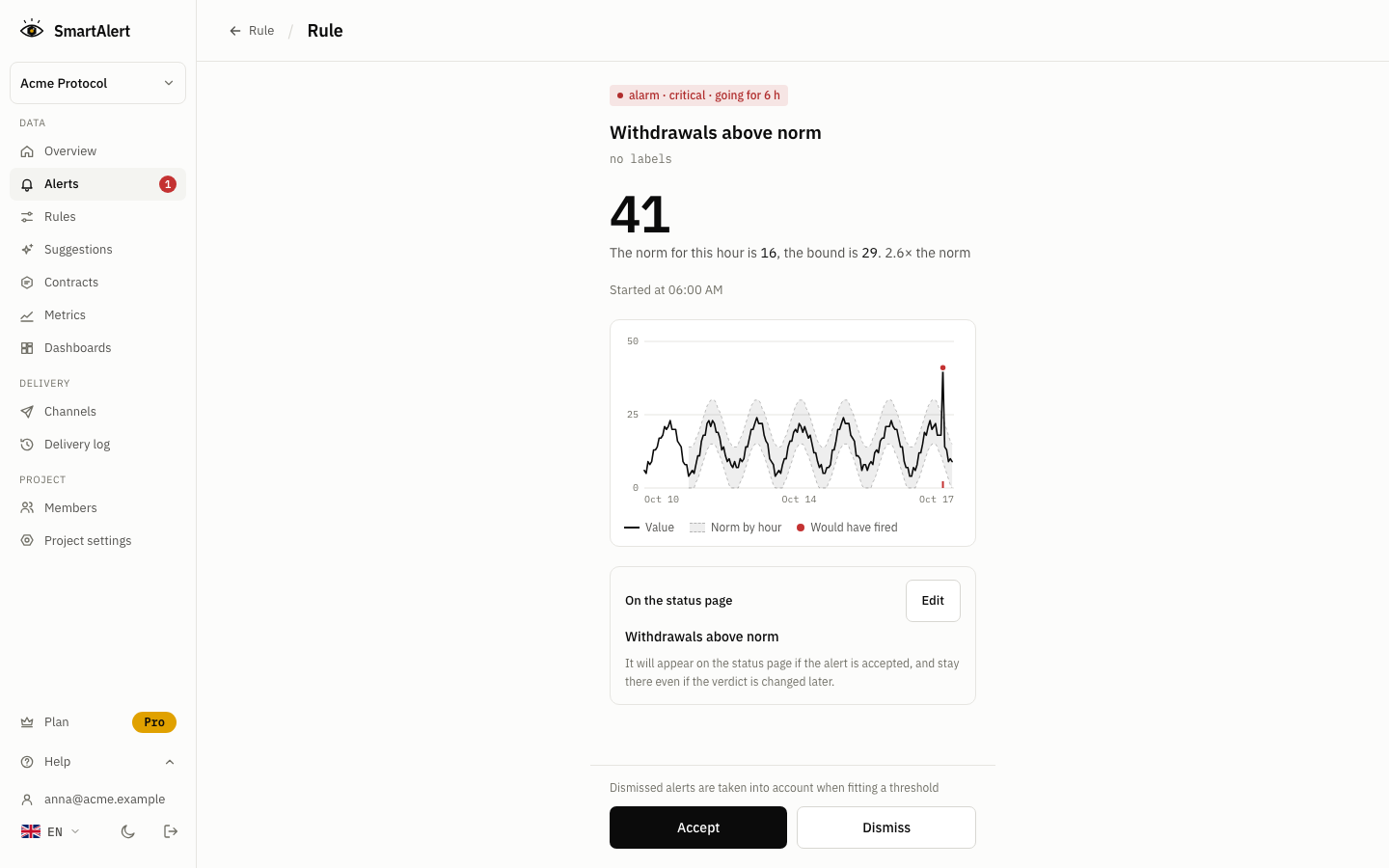
Open the rule and look at the chart: the marks show when it would have fired. When it fires for real, the message arrives in Telegram with the value, the threshold or norm, the time and a link to the firing.
Next
- Rules: norm, own hourly thresholds, check on history, threshold fit.
- Notifications: channels and webhook format.
- FAQ.
Found a mistake or didn’t find an answer? Write to us